Route inbound leads to the right owner
Use qualification and routing rules to prepare the next step for new leads.
Inbound Lead Router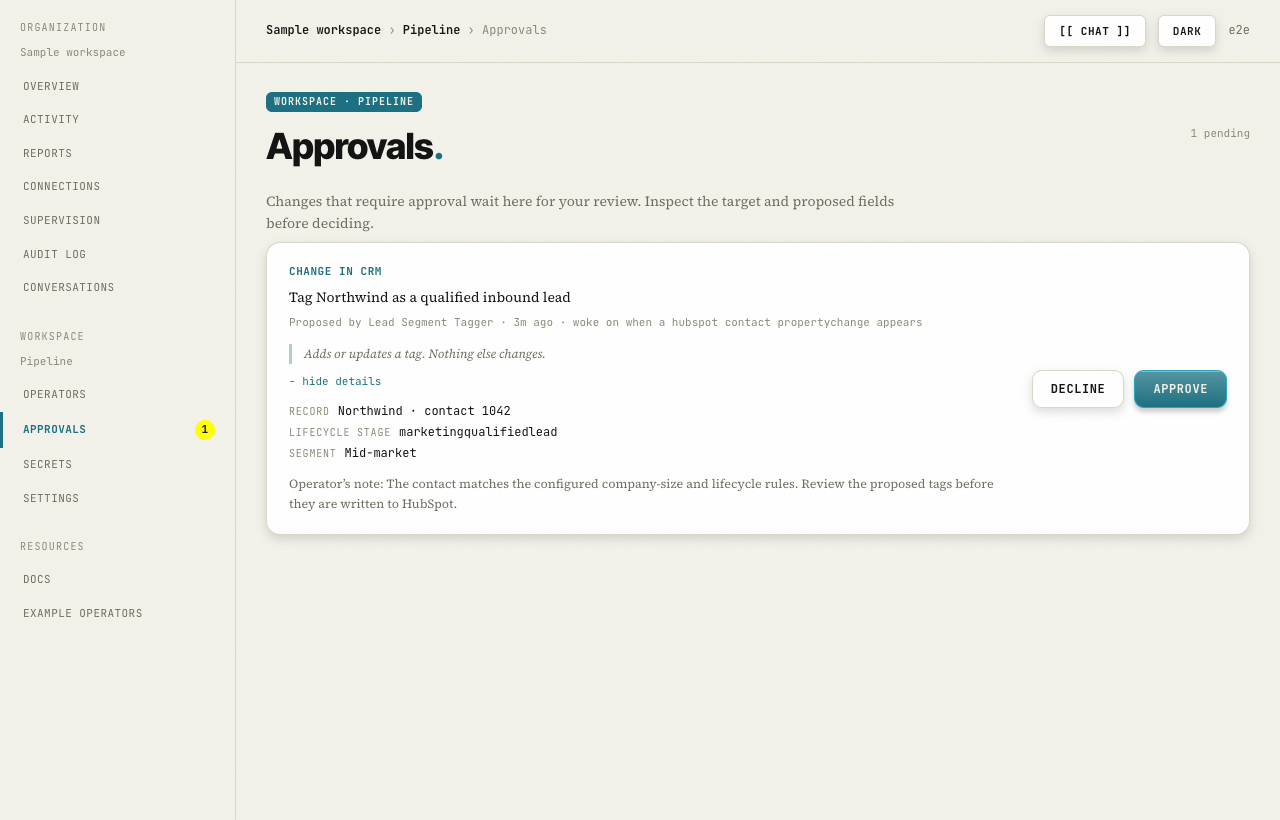
Actual Go2Market interface. Select the image to inspect the full screen.
Built around the tools
your pipeline already lives in.
From backlog to a clear next step
You should not have to check the same records, chase the same missing fields, and rebuild the same report every week.
Choose lead tagging, inbound routing, or pipeline reporting. Connect the tools that job needs.
Review the tools it can use and which changes need approval. Start with a scope you can inspect.
Open Activity to see the run. Approve or decline changes waiting in your queue.
See the product, step by step
Recorded in the Go2Market dashboard with sample records. Filter Activity, inspect the proposed change, and approve it.
Start with the work you repeat
Choose a specific outcome first. Add more operators as you establish the right rules for your team.
Use qualification and routing rules to prepare the next step for new leads.
Inbound Lead RouterIdentify missing fields and stalled deals so your team knows where to follow up.
Field Completeness AuditorSummarize pipeline stages, ownership, and forecast risks from your connected CRM.
Pipeline Forecast ReporterAnnual plans
Compare the published annual plans below. Creating an account does not purchase a subscription.
Starter
$49 / month
$588 billed yearly
$49 per included operator / month
Team For multiple workflows
$199 / month
$2,388 billed yearly
About $24.88 per included operator / month
At full allocation, Team’s cost per included operator is about 49% lower than Starter’s. Compare the jobs and usage you need before choosing.
| Included allocation | Starter | Team |
|---|---|---|
| Operators | 1 | 8 |
| Annual total | $588 | $2,388 |
| Monthly equivalent | $49 | $199 |
| Cost per included operator / month | $49 | $24.875 |
These are annual prices, not a monthly payment schedule. Confirm usage limits, any additional charges, and payment terms before subscribing. This page does not collect payment or activate a paid plan.
Go2Market is an AI operator platform for RevOps teams. Install operators for recurring work such as lead tagging, inbound routing, and pipeline reporting. Connect the tools each operator needs, set its permissions, and review the results.
Permissions and approval requirements are set per operator. A change that requires approval waits in your queue. Review the target, proposed fields, and consequence before approving or declining. Check the operator’s permissions before enabling it.
A workflow defines a sequence of steps. A Go2Market operator adds a named owner for a recurring job, the context it needs, limits on the tools it can use, and a record of each run. Use an operator when the job needs context and a reviewable decision.
Create an account and workspace, connect the required tools, then install an operator. HubSpot and Slack are the starting point for the workflows shown here. Setup time depends on your access to those tools and the permissions you need.
The annual plans shown here are Starter at $49 per month, billed $588 yearly, and Team at $199 per month, billed $2,388 yearly. Account creation does not purchase a subscription. Confirm scope, usage limits, and payment terms before subscribing.
Inspect the run in Activity, decline any pending changes, and pause the operator while you adjust its configuration. An action already applied to another tool may need a manual correction; not every action can be undone.
An operator uses the connections and permissions configured for its workspace. Review those permissions before connecting business data. Your organization’s deployment, connected services, and model providers determine the applicable data-processing terms.
Go2Market · AI operators for RevOps
Connect your tools, set the boundaries, and review the first run.
Get startedSee what setup involves